

Intercompany Recharges
If you have multiple entities that you perform intercompany recharges with then using the Intercompany Recharge feature can speed up data entry and reduce the chance of errors.
Set Up
Customers > Edit the entity you are going to be issuing Sales Invoices to.
Click on the below highlighted button:

The “Destination Company” is the KEYPrime Accounts that the Sales Invoice is to be issued to.
The “Supplier Code” is the code of the company initiating the Sales Invoice, as it is within the destination company. In this example, Demo Estate Ltd is invoicing Demo Advanced Accounts. Demo Estates Supplier Code within Demo Advanced Accounts is DEMOEST. You will receive a warning if the Supplier Code entered does not match anything within the Destination Company.
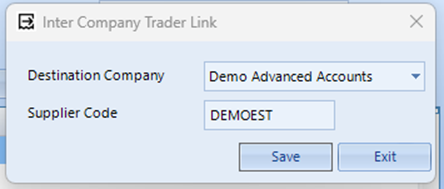
The same process can be followed if you want to set up a Supplier as an Intercompany Trader.
Processing
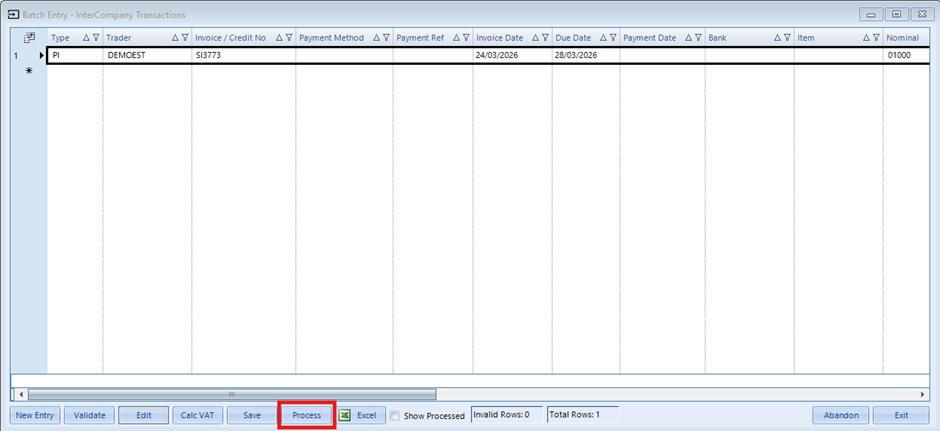
Once the above has been set you can issue your sales invoice as normal. Once issued go to the Destination Company accounts. Entries > Batch Entry and you will see the following:

Double click or highlight and click Edit to open the transaction. You will see there are details already entered for the transaction, but you will have to enter the nominal coding and any Enterprise or Analysis codes. To view the invoice on the standard invoice entry screen, highlight the row so it has a black outline then click Edit at the bottom of the page.
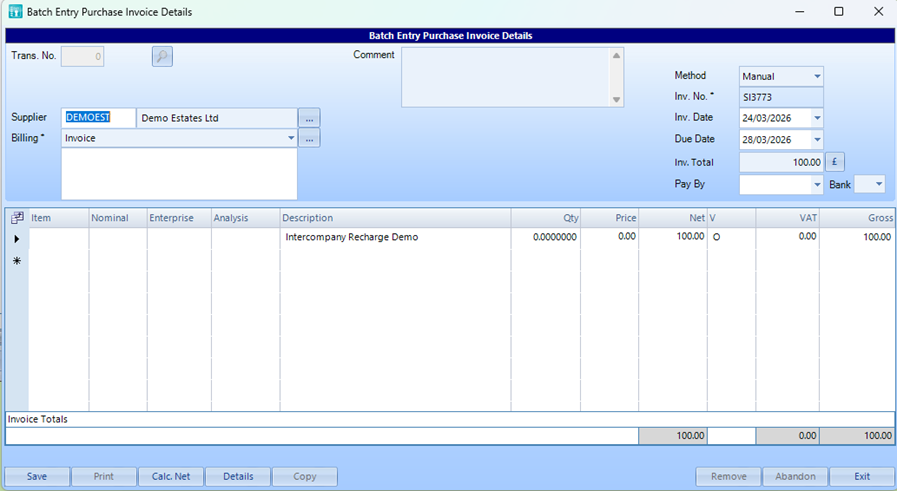
Once you have entered the necessary details and clicked Save, please note that this hasn’t yet been posted. You need to highlight the row and click Process.
Using Balance Sheet Control Accounts
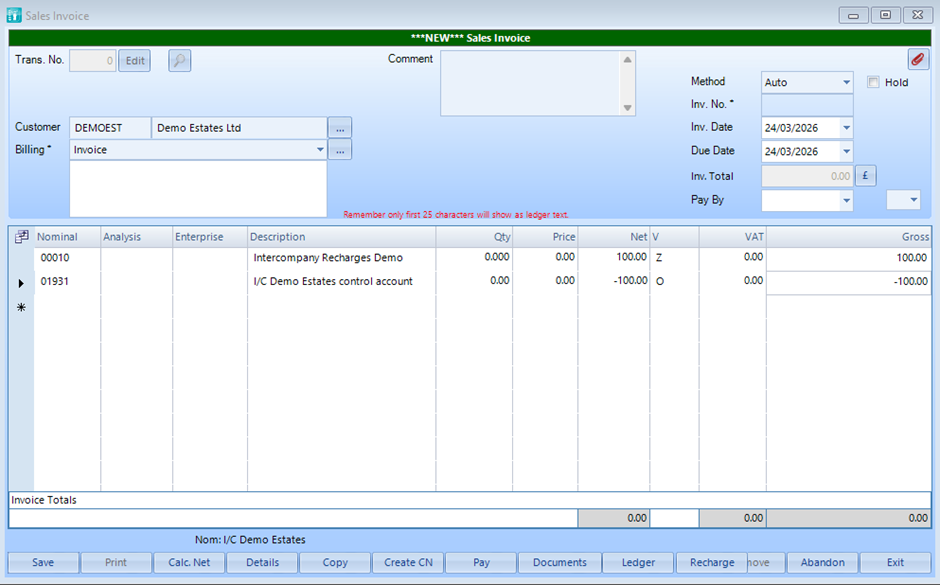
If you are using Control Accounts for Intercompany the only difference is to make the value of the invoice £0 and include a negative line for the amount posted to the Control Account:

Was this article helpful?
That’s Great!
Thank you for your feedback
Sorry! We couldn't be helpful
Thank you for your feedback
Feedback sent
We appreciate your effort and will try to fix the article